This guide provides a straightforward process for inviting users to ListOnce, ensuring a seamless experience in managing your team. It outlines each step clearly, making it easy to follow even for those unfamiliar with the platform. By using this guide, you can efficiently onboard new users and enhance collaboration within your support group. Whether you're a manager or a team member, this resource is invaluable for streamlining user invitations
1. Navigate to https://listonce.com.au/ and login using your preferred method.

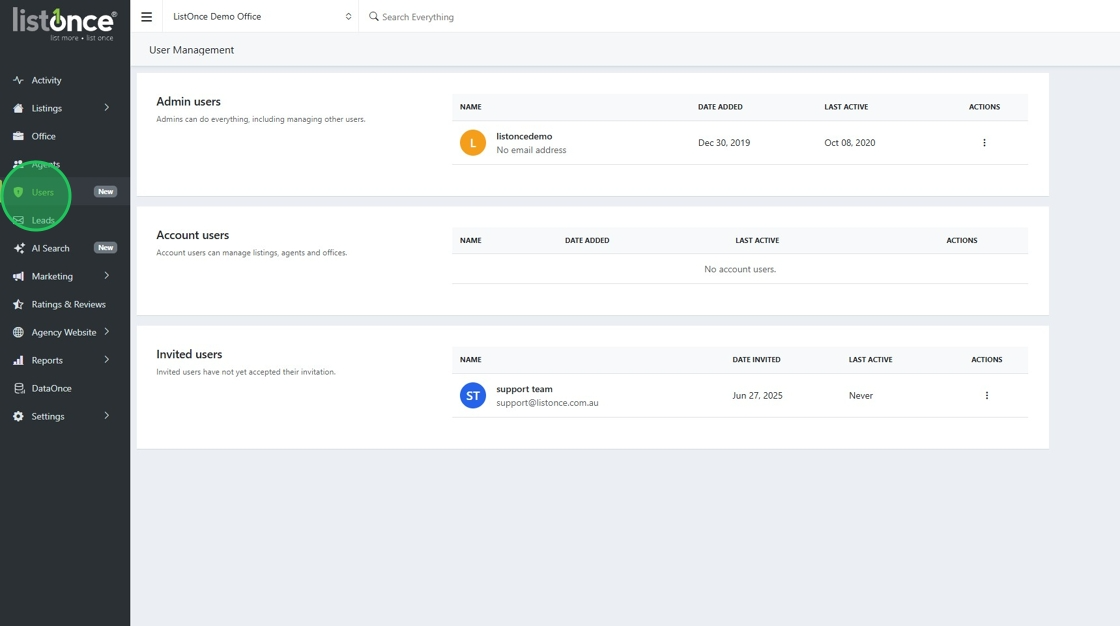
2. Click "Users"
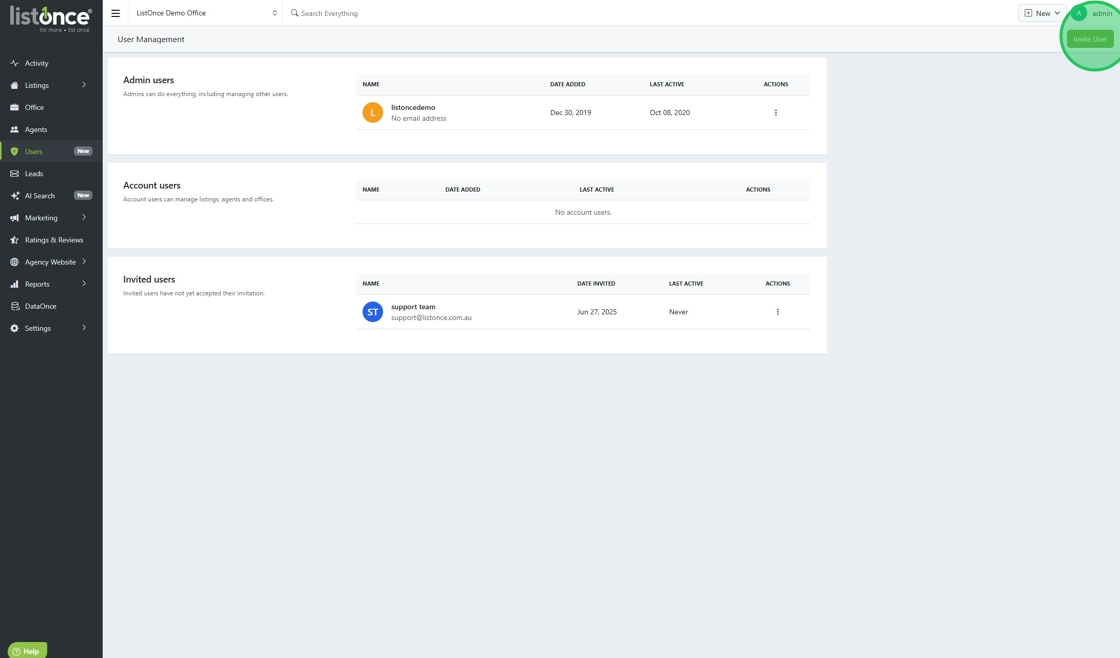
3. Click "Invite User"
4. Fill out the form to invite a new user
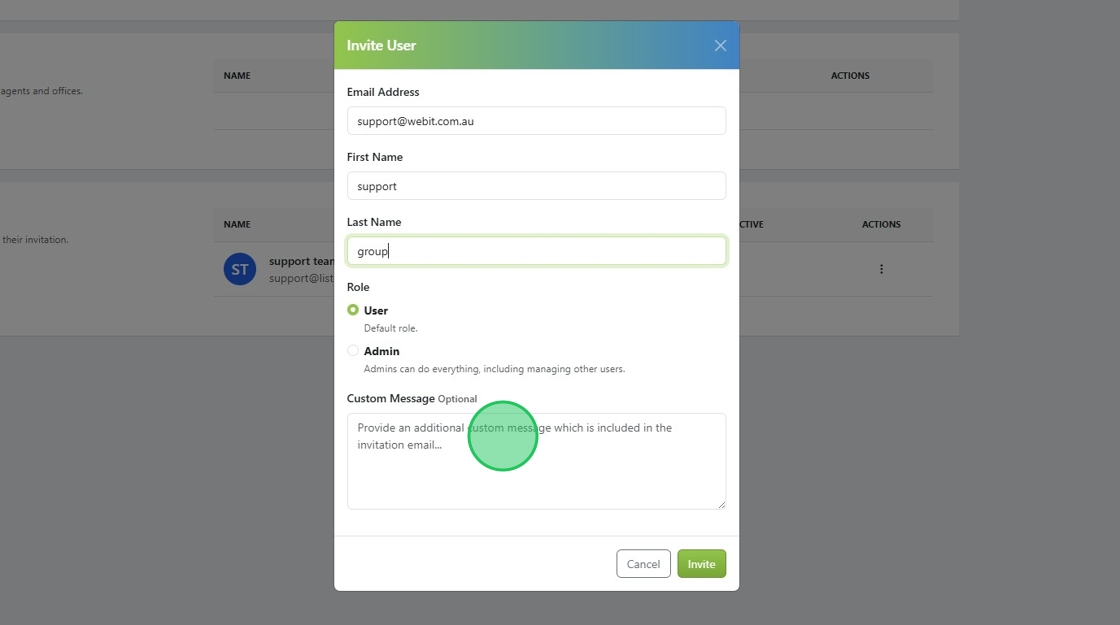
5. A user will have access to your account, and an admin will have the ability to invite others to the account. Your account must always have at least one designated admin user.
6. Click "Invite"
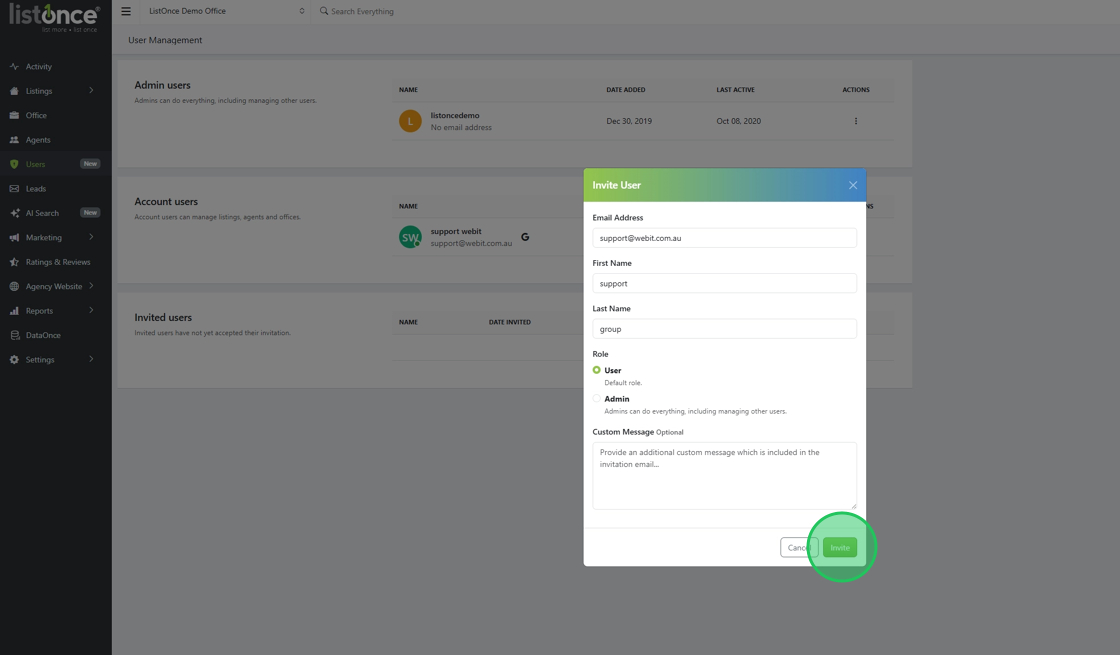
7. The invited user will receive an automated email asking them to complete the sign-up process by logging in.
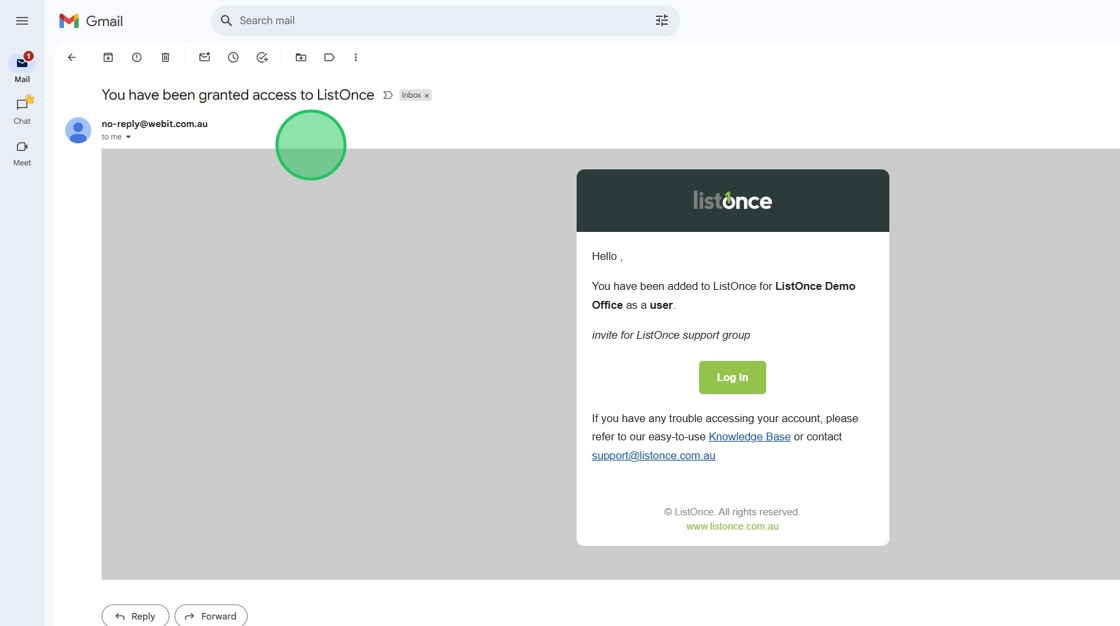
8. Click "Log In"
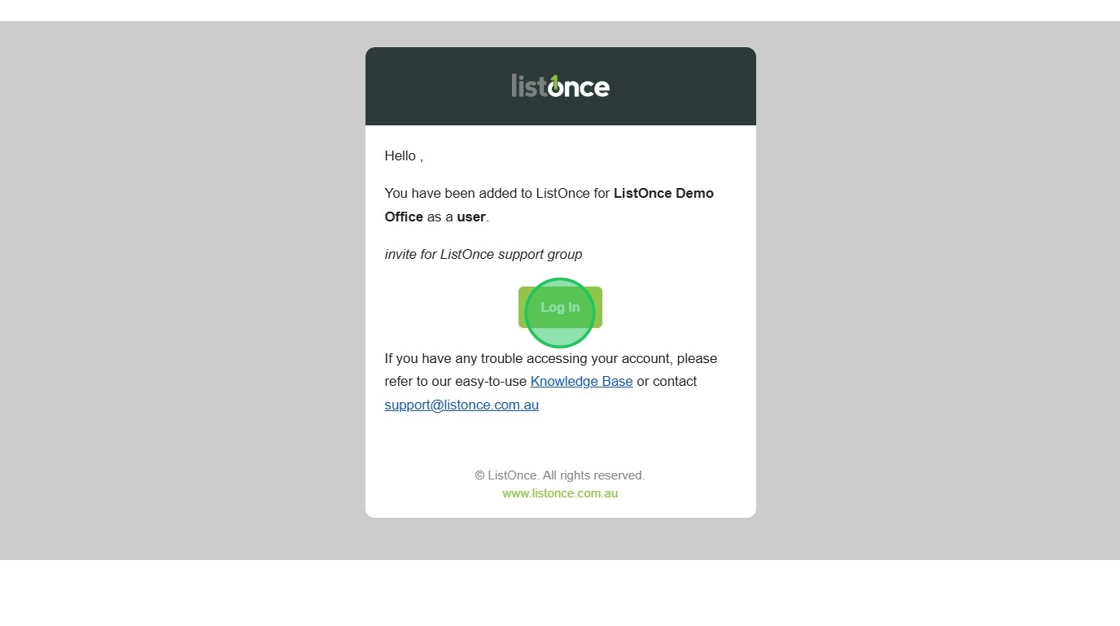
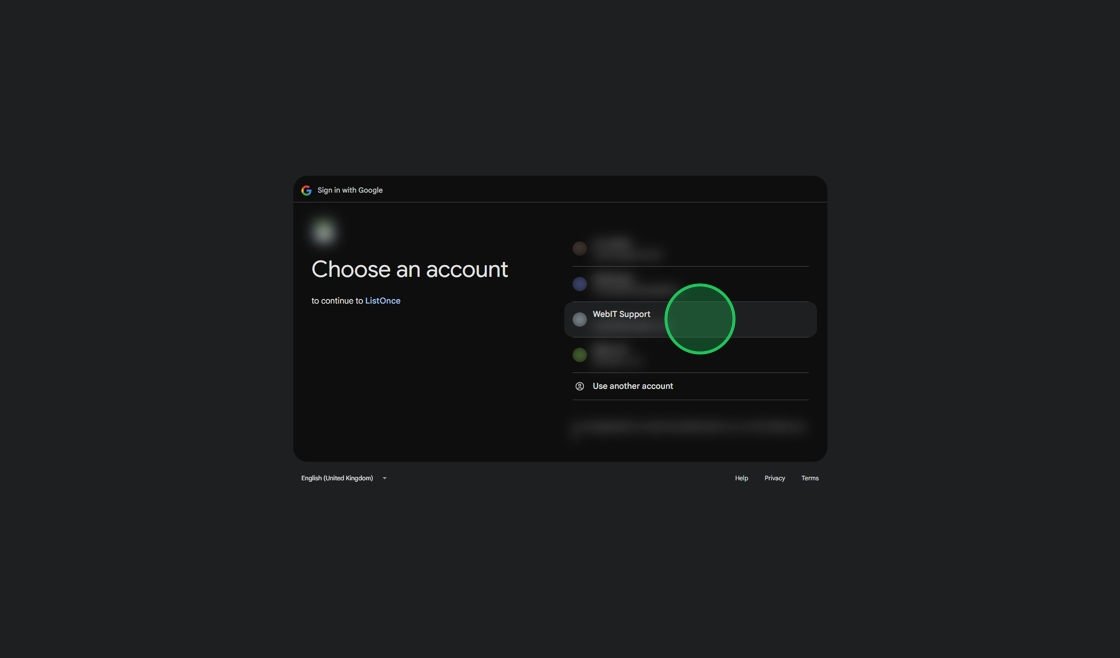
9. The new user will be directed to the ListOnce login page. Select your email provider.

10. Click "Continue"

11. Click your account to gain access
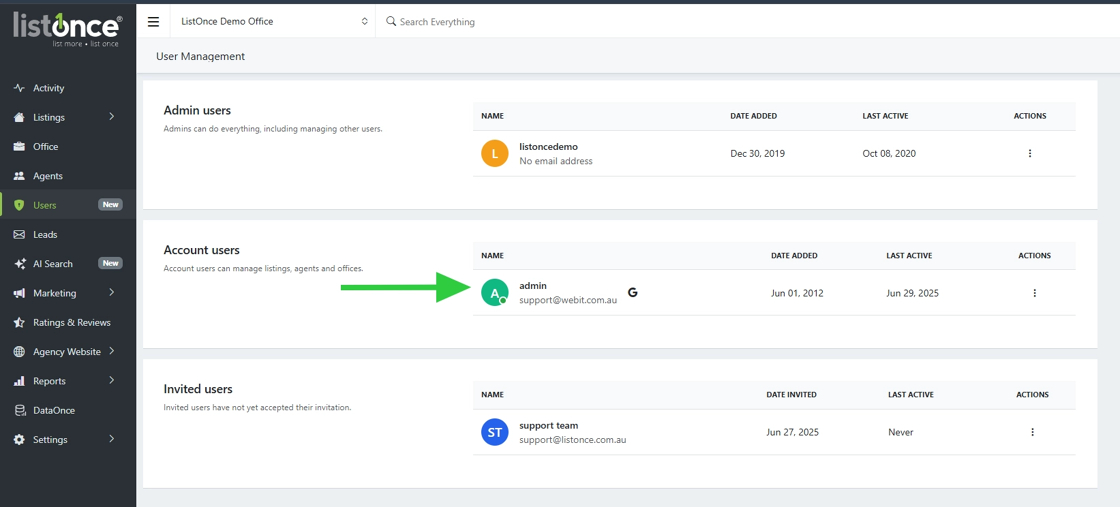
12. From the User Management tab, you can see who has a pending invite under "Invite users" and those who have current access under "account users".
Was this article helpful?
That’s Great!
Thank you for your feedback
Sorry! We couldn't be helpful
Thank you for your feedback
Feedback sent
We appreciate your effort and will try to fix the article